Open the Complaint Form
Open the Submit New Formal Complaint form from your dashboard. This is the first step in filing a formal complaint.
Registered Tier 1 and Tier 2 users. Tier 1 and Tier 2 users see slightly different options in the Submit New menu, depending on their access level.
Open the Form
-
Log in as a Tier 1 or Tier 2 user.
-
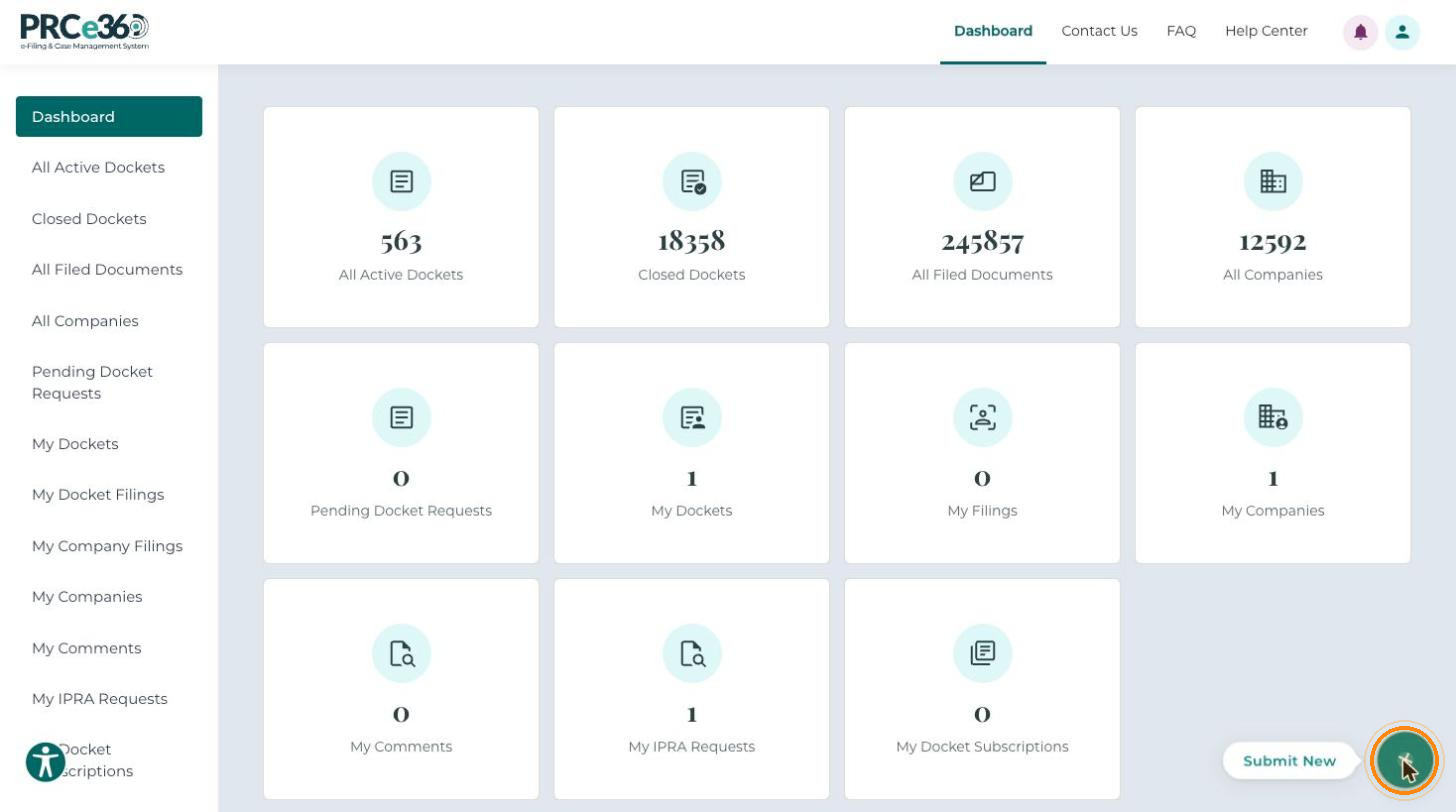
On the Dashboard, click Submit New (the + button at the bottom right).
-
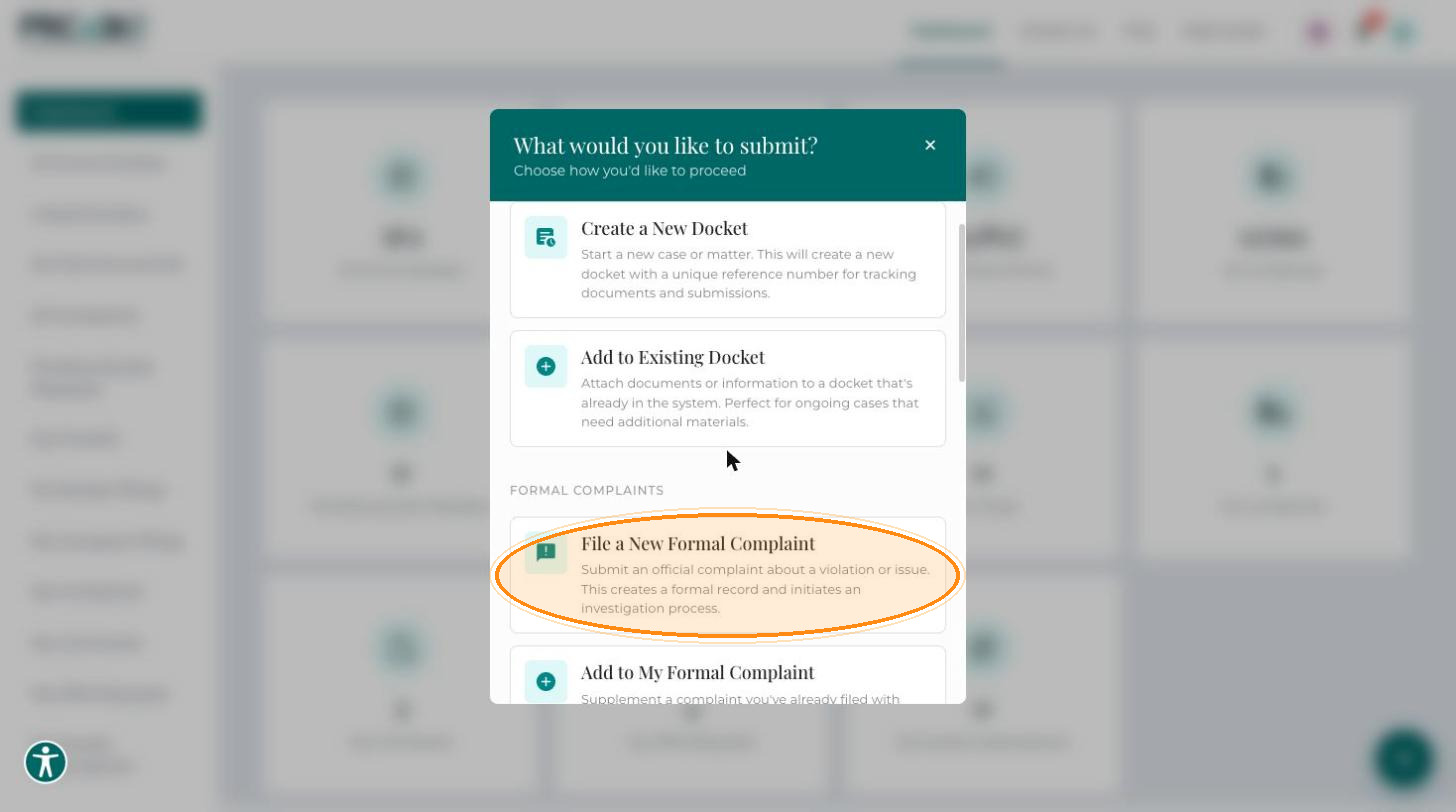
The What would you like to submit? window lists the filing options. Under Formal Complaints, click File a New Formal Complaint.
The Submit New Formal Complaint form opens. All fields marked with * are required. Click Back at the top right to leave the form.
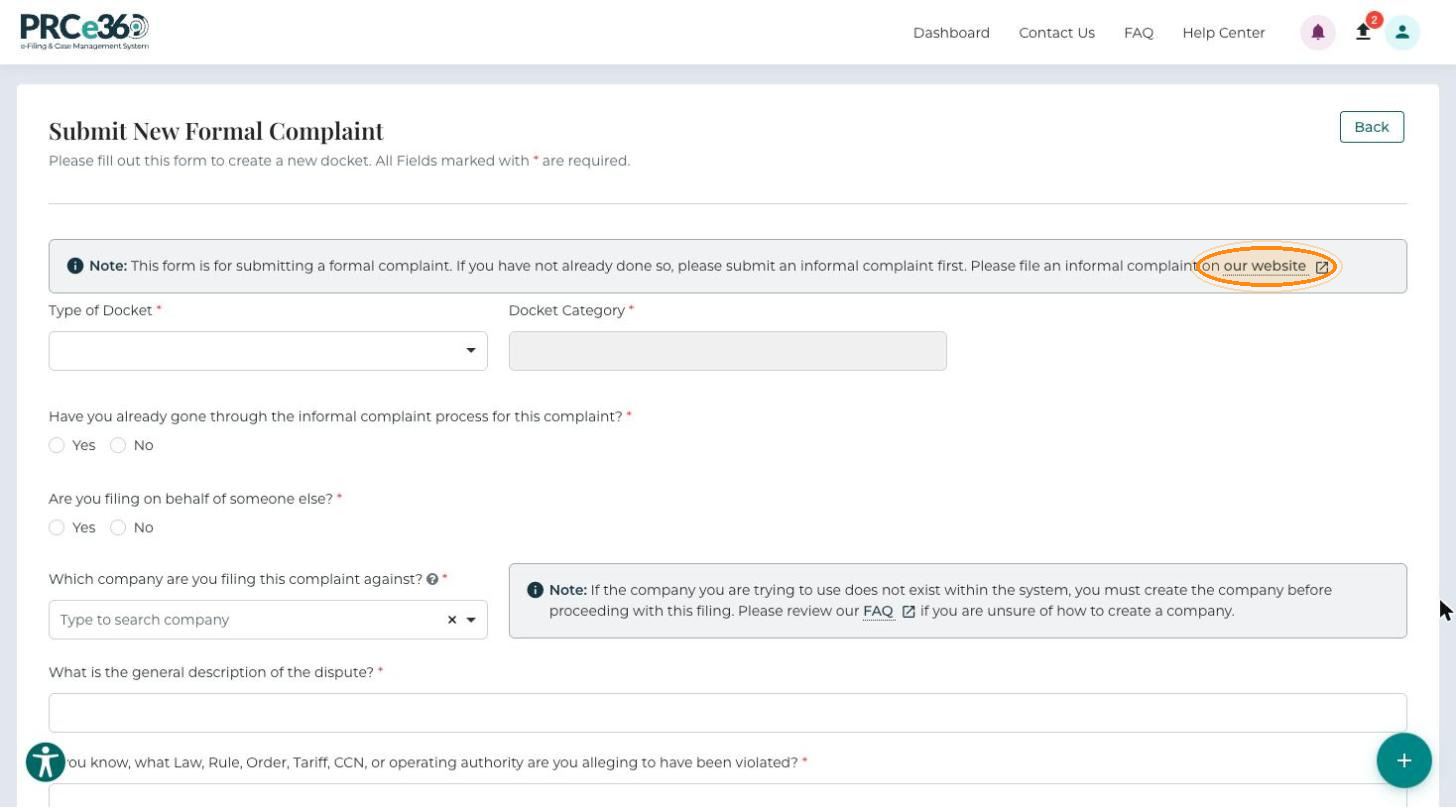
The form recommends submitting an informal complaint first if you have not already done so. The note at the top of the form links to the website where you can file one. The same window also offers File an Informal Complaint.